
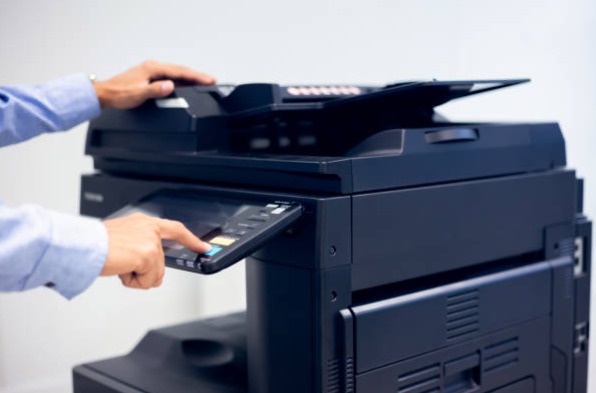
In a fast-paced business environment like Bangalore, offices require efficient document management solutions. Instead of using multiple machines for printing, scanning, copying, and faxing, many organizations now prefer All-in-One printers. These multifunction devices combine several essential office functions into a single machine, helping businesses save space, reduce costs, and improve productivity.
In this article, we explore the benefits of all-in-one printers and the best machines suitable for offices, startups, and institutions.
What is an All-in-One Printer?
An All-in-One printer (also called a multifunction printer) is a device that performs multiple office tasks such as:
- Printing documents
- Scanning files
- Photocopying
- Faxing
- Network and mobile printing
These machines are designed to simplify office workflows while reducing the need for separate equipment.
Benefits of All-in-One Printers for Offices
1. Space Saving
Instead of installing four separate machines, businesses can use a single compact device that handles all tasks.
2. Cost Efficiency
Purchasing or renting one multifunction printer is more affordable than buying individual printers, scanners, and copiers.
3. Improved Productivity
Employees can print, scan, or copy documents quickly without switching between different devices.
4. Easy Network Connectivity
Most modern printers support Wi-Fi, LAN, mobile printing, and cloud services for seamless office collaboration.
5. Lower Maintenance
Maintaining one device reduces service costs and simplifies printer management.
Key Features to Look for in All-in-One Printers
When selecting the best all-in-one printer for business use, consider these features:
Print Speed (PPM)
High pages-per-minute speeds are ideal for offices with large printing volumes.
Print Quality
Laser printers typically produce sharper text and are suitable for professional documents.
Automatic Document Feeder (ADF)
ADF allows multiple pages to be scanned or copied automatically.
Duplex Printing
Automatic double-sided printing helps reduce paper consumption.
Connectivity Options
Support for Wi-Fi, Ethernet, USB, and mobile printing apps improves usability.
Best All-in-One Printer Scanner Fax Copier Machines
1. Epson EcoTank All-in-One Printer
Epson printers are popular for their ink-tank technology and low printing costs.
Key Features
- Ultra-low printing cost
- High page yield
- Wireless and mobile printing
- Compact office design
These printers are suitable for businesses looking to reduce printing expenses.
2. Brother Multifunction Laser Printer
Brother produces durable printers designed for heavy workloads.
Key Features
- Fast print speeds
- Advanced scanning capabilities
- High paper capacity
- Strong network security features
A great choice for medium and large offices.
3. Xerox WorkCentre Multifunction Printer
Xerox printers are widely used in corporate environments.
Key Features
- Professional document output
- Advanced workflow automation
- Cloud and mobile connectivity
- Reliable performance for large print volumes
These printers are ideal for enterprises with demanding document workflows.
Who Should Use All-in-One Printers?
Startups
Startups can reduce operational costs by using one multifunction device for all office tasks.
Corporate Offices
Large organizations benefit from high-speed printing and centralized document management.
Educational Institutions
Schools and colleges can efficiently manage assignments, exam papers, and administrative documents.
Small Businesses
Retail stores, agencies, and service providers can handle everyday printing and scanning easily.
Conclusion
All-in-one printers are a smart solution for modern offices that need efficient, reliable, and cost-effective document management. These multifunction devices combine printing, scanning, copying, and faxing into a single machine, helping businesses save space and improve workflow efficiency.
Companies in Bangalore looking for professional printing solutions can choose high-quality multifunction printers from trusted brands or opt for rental services to reduce costs and access the latest technology.